









































Need a little extra privacy? Whether you’re checking your finances on the go, in a café, or anywhere around other people, you can quickly hide your balances and transaction amounts with just a shake of your phone.
How to enable hiding amounts on shake
- Open the Spendee app.
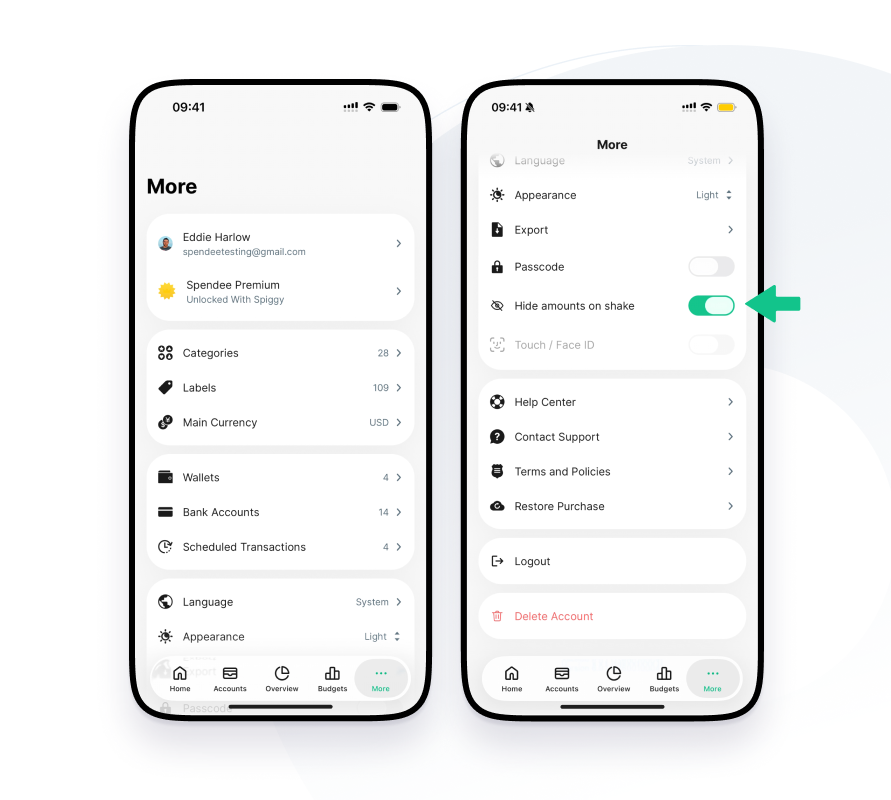
- Go to More.
- Turn on Hide amounts on shake button.
- Give your phone a quick shake.
That’s it! Your amounts are now hidden, so you can manage your finances without worrying about curious eyes. Need to see them again? Just shake your phone one more time.