- Help
- Account and data
How to reset your password
Updated November 9, 2026
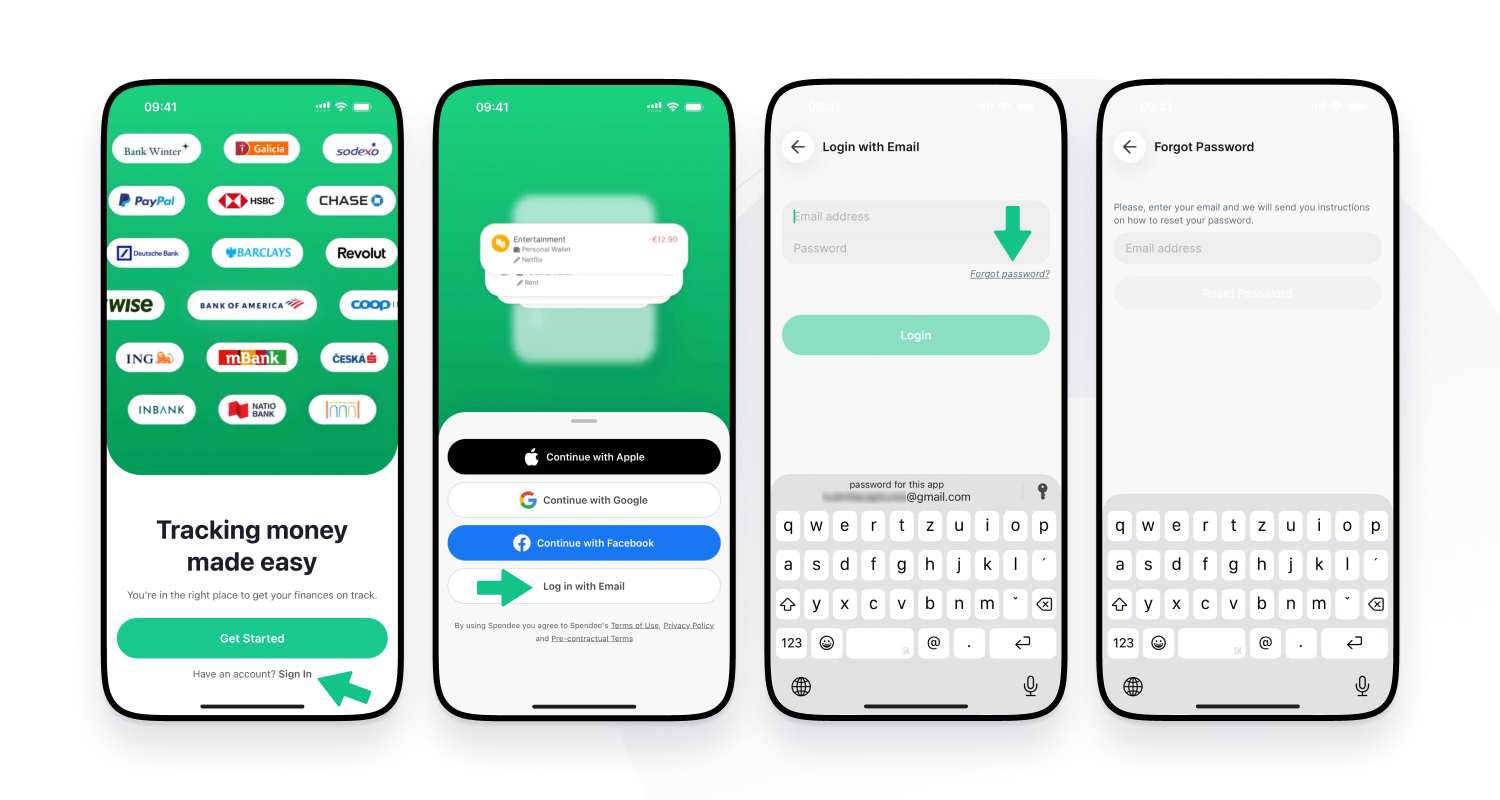
If you forgot the password to your Spendee account, follow these instructions.
- Open the mobile app & click the Login with Email option
- Click the “forgot password” button & fill in the email address tied to your account
- Now check your inbox for an email from us.
- Open the link that we’ve just sent over to you.
- The link will lead you to an online password reset page where you set your new password.