









































Keep Spendee tidy and put your wallets and accounts in the order that works best for you.
Change the order of your wallets
- Open the Accounts tab.
- Touch and hold any wallet or account.
- Tap Reorder wallets.
- Drag the handles on the right to move each wallet where you want it.
- Save with the check mark.
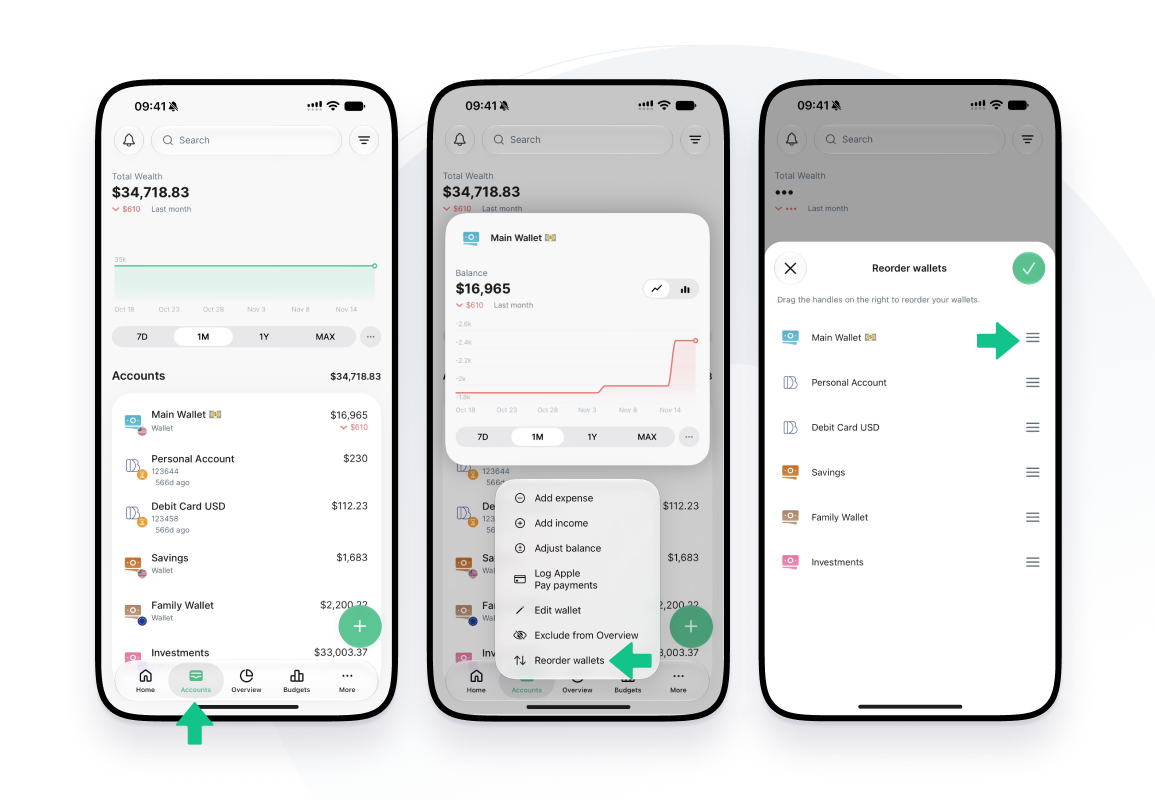
You’ll see Reorder wallets when you have at least two wallets in your overview.
Want to hide a wallet instead? See How to hide a bank account or wallet.
You can change the order whenever you like. ✨