Once your bank is connected, new payments come in by themselves. Each bank account in the Accounts tab shows when it last synced, for example “Last sync 2 hours ago”.
Sync now
You can ask for fresh data at any time:
- All banks: open the Accounts tab and pull down the list. You see “Syncing banks…”.
- One bank account: open the account and pull down its transaction list.
- From the menu: in the Accounts tab, touch and hold a bank account and tap Sync.
- From the account settings: open the account, tap the ⋯ button, choose Edit wallet and tap Sync now.
Pulling down on the Home tab doesn’t sync your banks.
New transactions can take a few minutes to appear after a sync.
Why can’t I sync again right away?
Banks allow only a limited number of syncs a day. If you synced a bank recently, the app tells you how many minutes to wait before the next sync. If a sync is already running, you see “Sync already running”. The new transactions show up in a moment.
My bank asks me to log in
Some banks ask you to log in again or confirm with a code when you sync. Their login page opens in Spendee. See What is 2-factor authentication?
Refresh Access
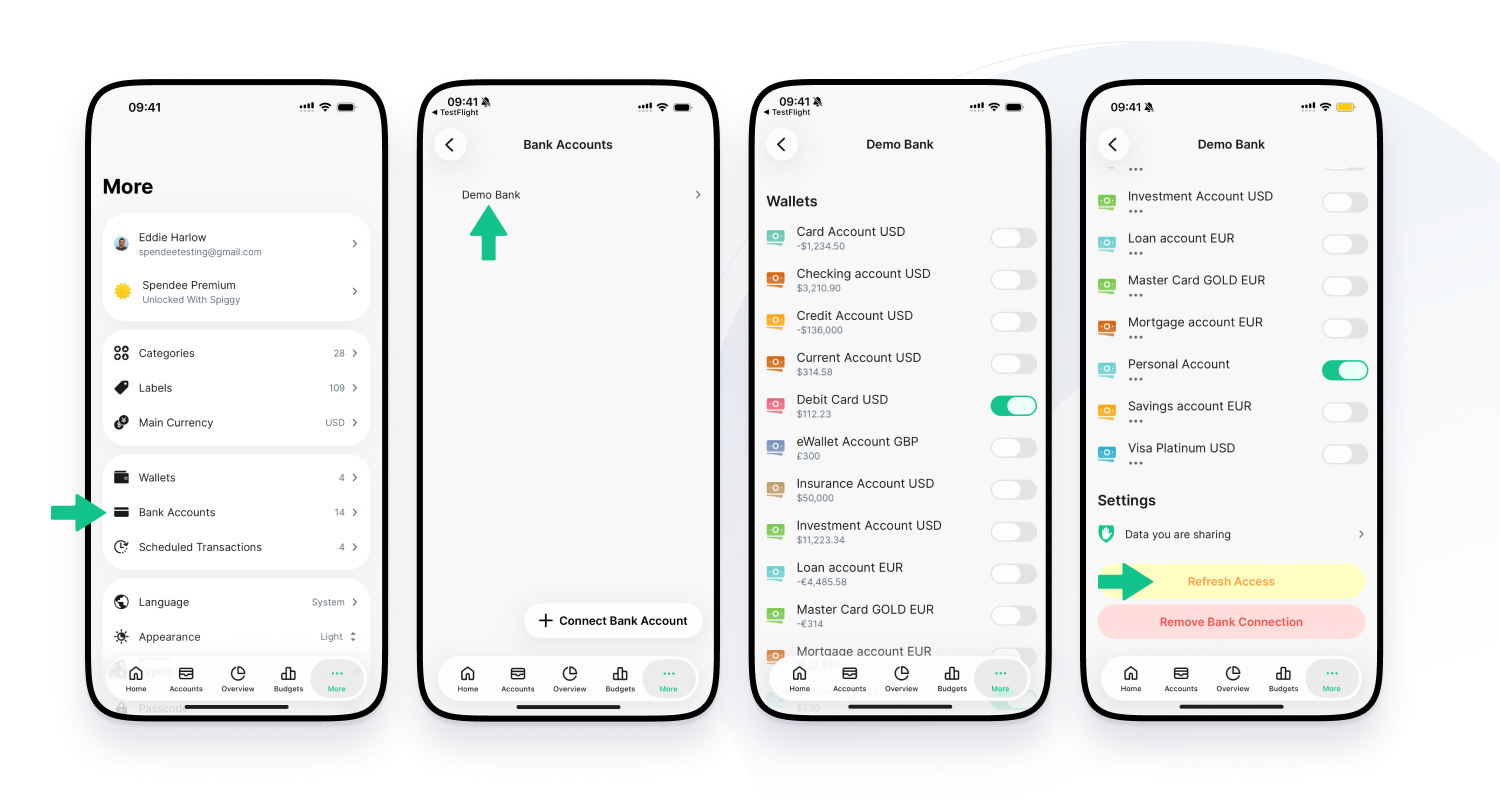
Your bank gives Spendee access until a set date. You can see it in More, Bank Accounts, your bank: “Spendee will access information from your account(s) until” a date.
When access expires, the account says “Consent validity has expired.” and transactions stop coming in. To renew it:
- Go to More and tap Bank Accounts.
- Tap your bank.
- Tap Refresh Access and confirm with Continue.
- Log in to your bank and approve access again.
You can also tap Refresh Access in the account’s menu or on the Edit account screen. It appears there instead of Sync when access has expired.